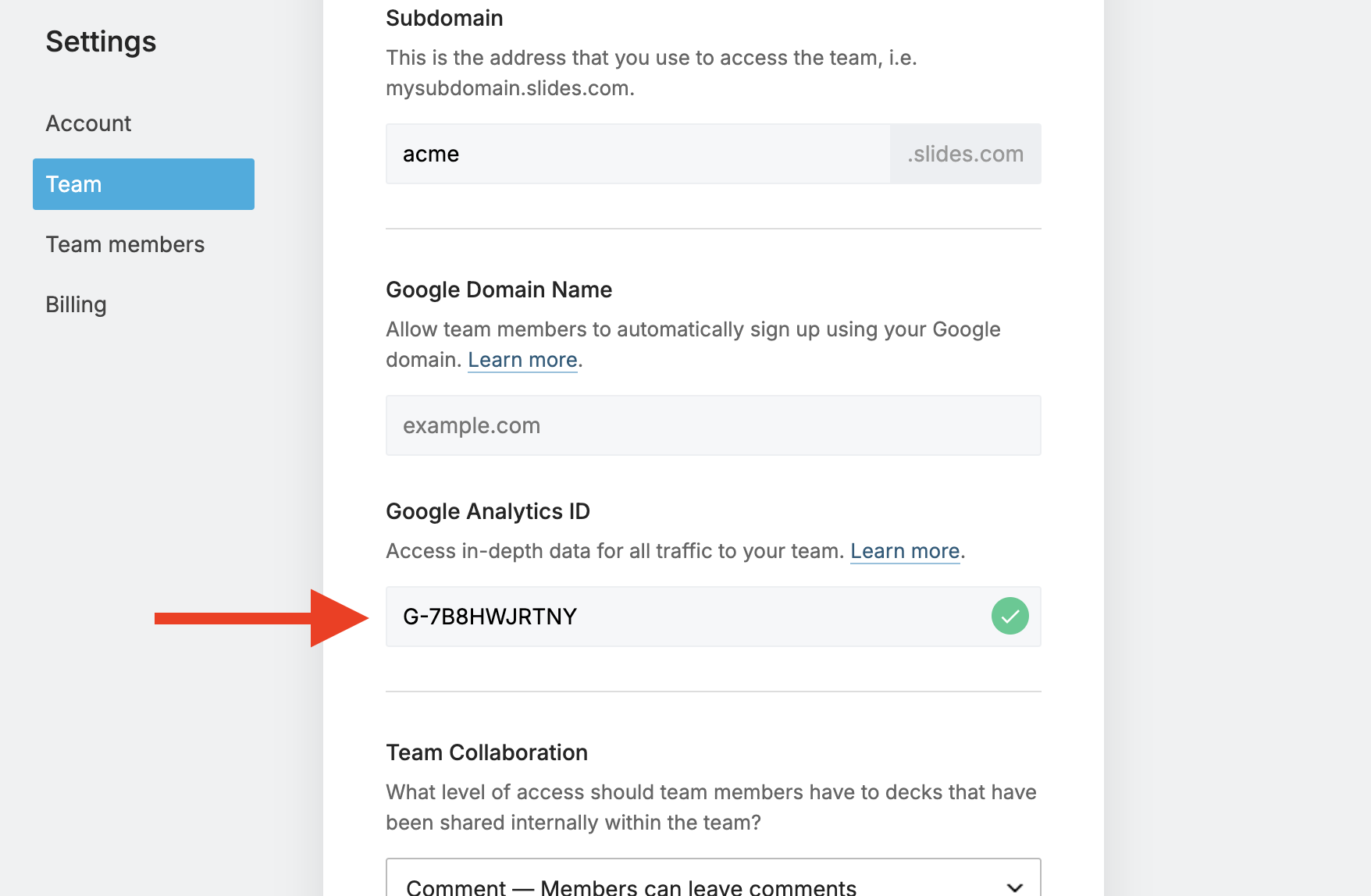
Pro users, as well as Team owners and admins, can use Google Analytics to understand how their public content is performing. Analytics covers views of your decks and profile page without sending personally identifiable viewer data from Slides.
To enable analytics, provide your Google Analytics measurement ID. It starts with G-, for example G-7B8HWJRTNY.
Pro users can enter the ID in their account settings. Team owners and admins can enter it in the team settings.
Analytics for teams
A team uses one measurement ID for all members. Views of team members' decks and profile pages are sent to the same analytics property.
Find your measurement ID
- Sign up for Google Analytics.
- Create a new property for Slides in the Google Analytics dashboard. Google provides step-by-step instructions.
-
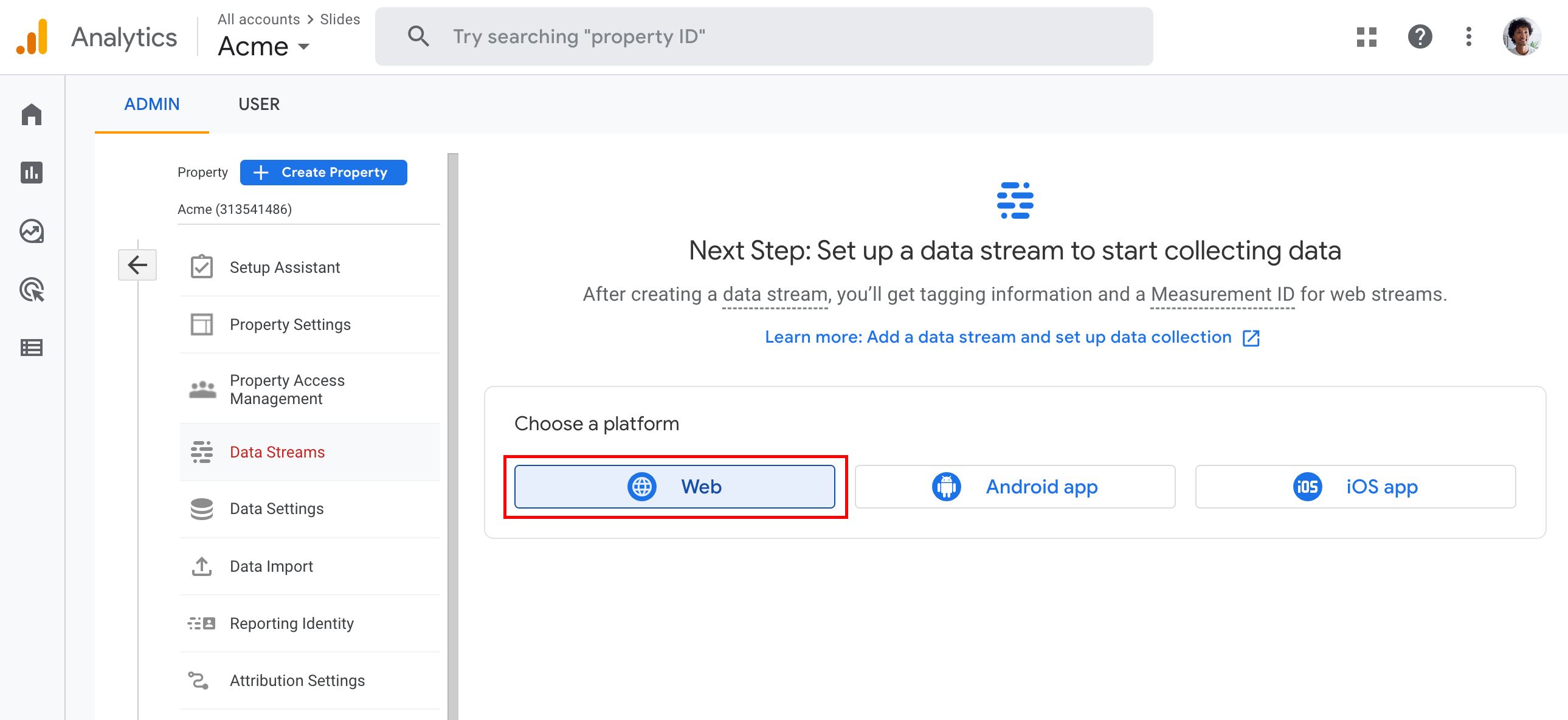
Create a web data stream.
-
Enter
slides.comas the website URL and choose a stream name.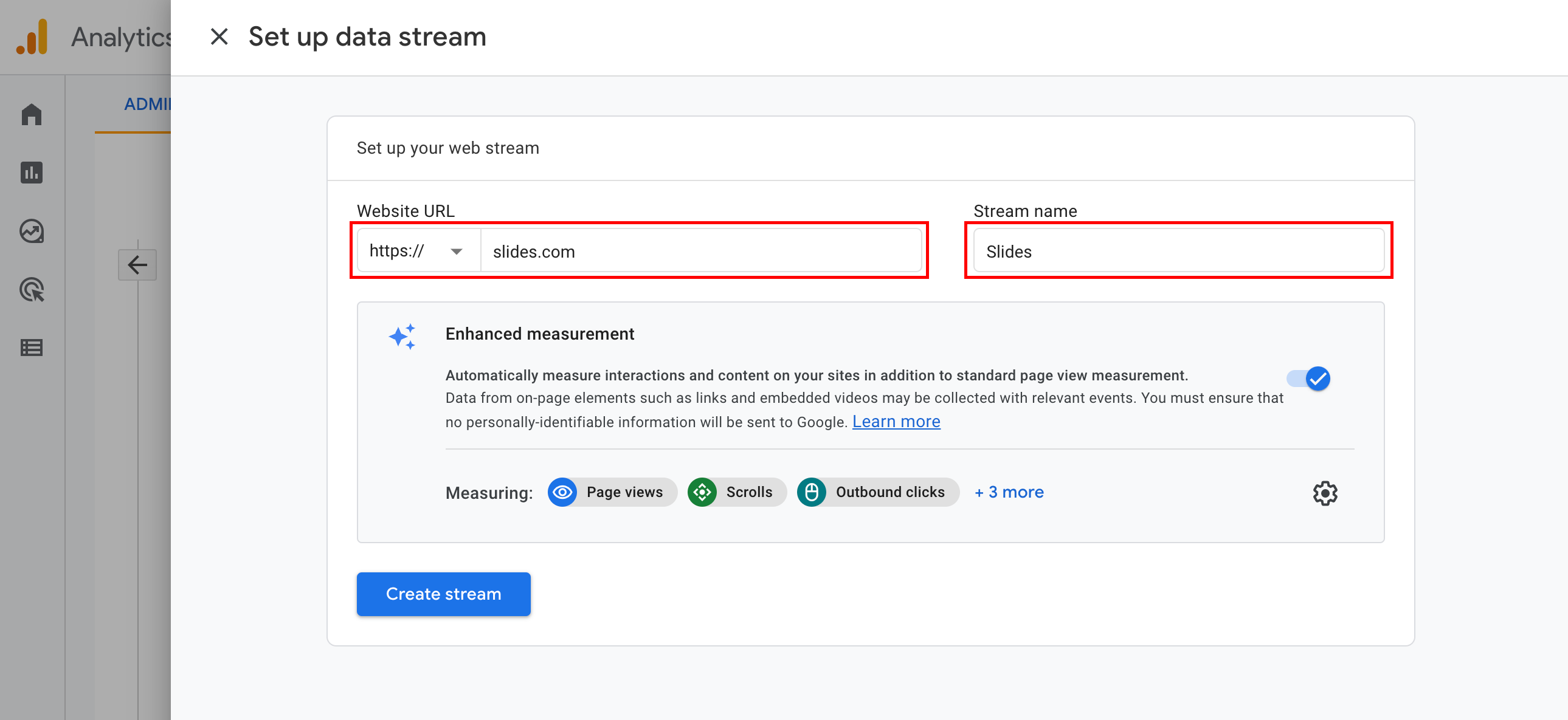
-
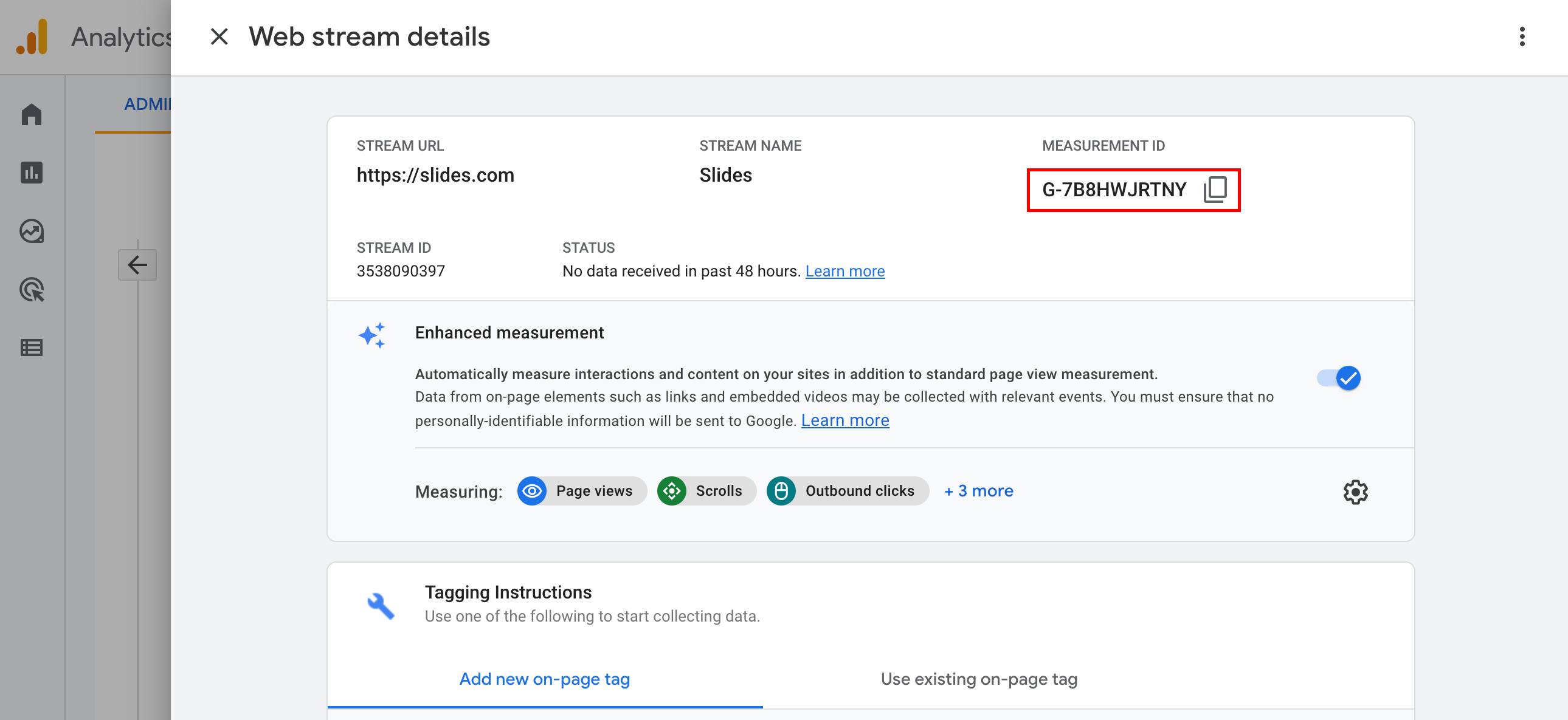
Copy the Measurement ID.
-
Paste the Measurement ID into your Slides settings.