Team owners can choose how members authenticate from the team's Authentication settings. Available methods include email and password, Google-domain sign-in, and OpenID Connect (OIDC) single sign-on.
Google sign-in
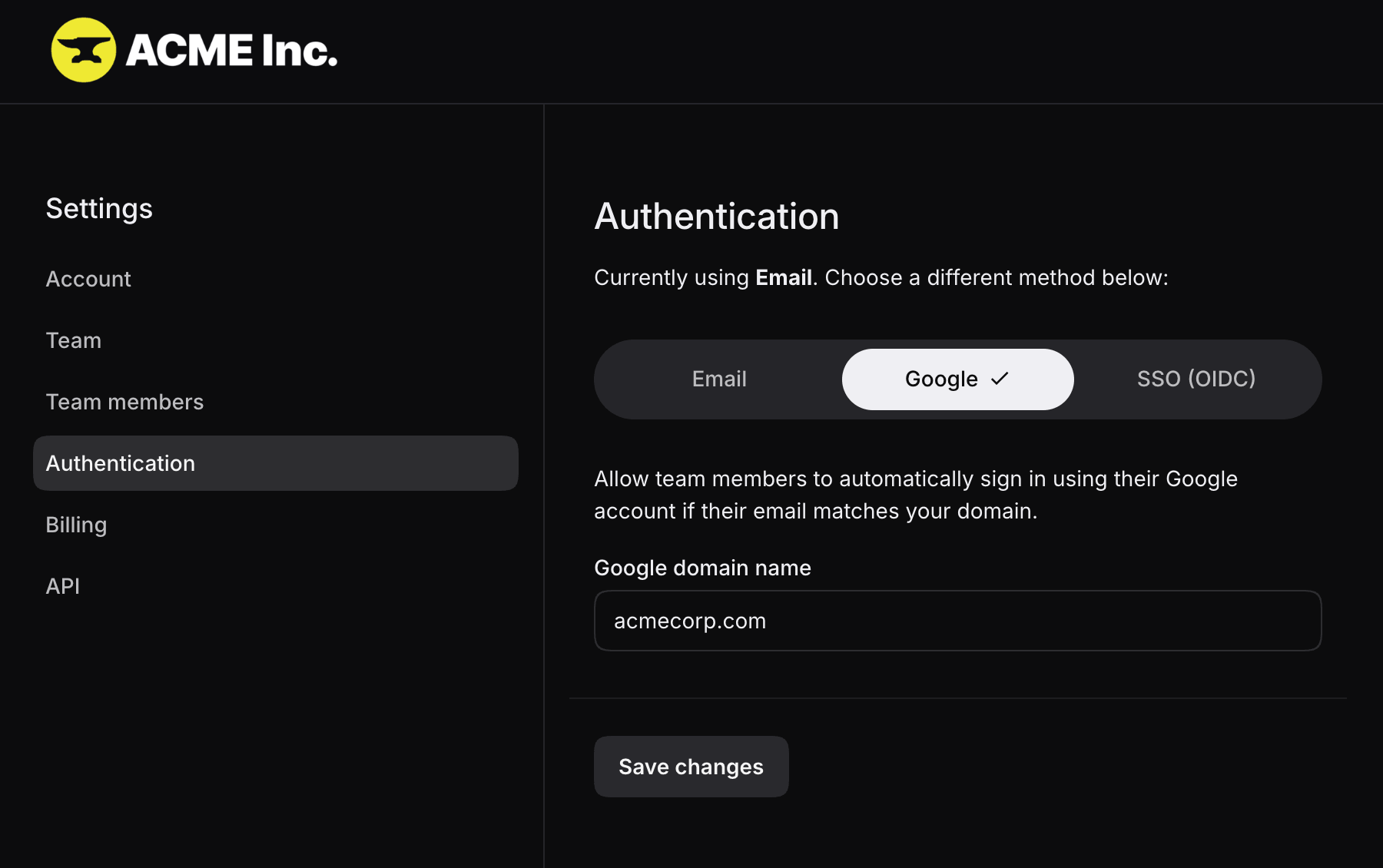
Select Google and enter your organization's email domain. People with a matching Google account can then sign in from the team's home page and are added to the team automatically.
OIDC single sign-on
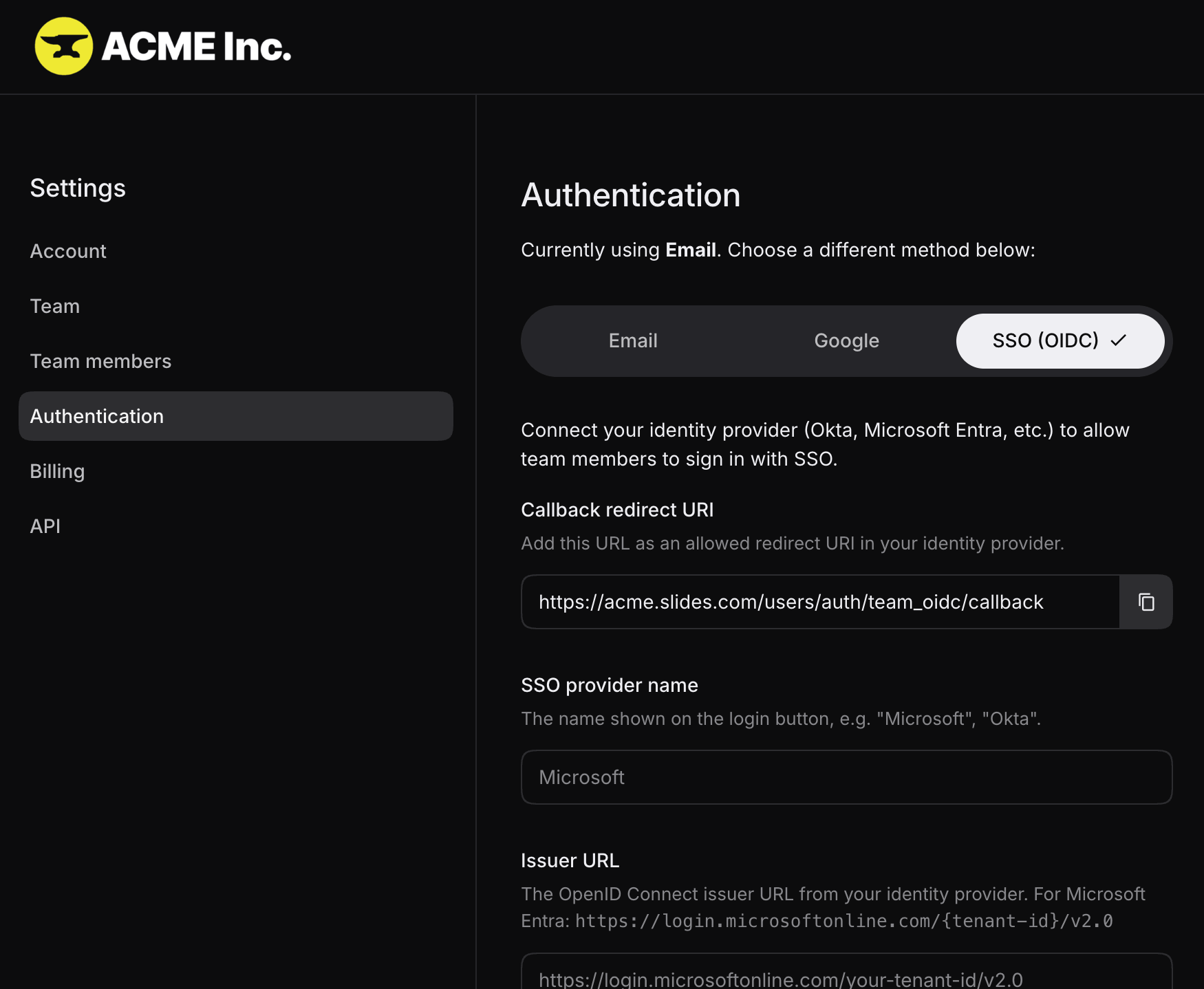
Select SSO (OIDC) to connect an identity provider such as Okta or Microsoft Entra. Add the callback URI shown by Slides to your identity provider, then enter the provider name, issuer URL, client ID, and client secret.
Enable Require SSO login if all members must use the configured provider. When this is enabled, email and password sign-in is disabled for the team.
New members and billing
Members who sign in through Google or OIDC are added to the team automatically. Slides adjusts billing as members are added. Monthly plans include the prorated amount on the next invoice; yearly plans charge the prorated amount immediately.