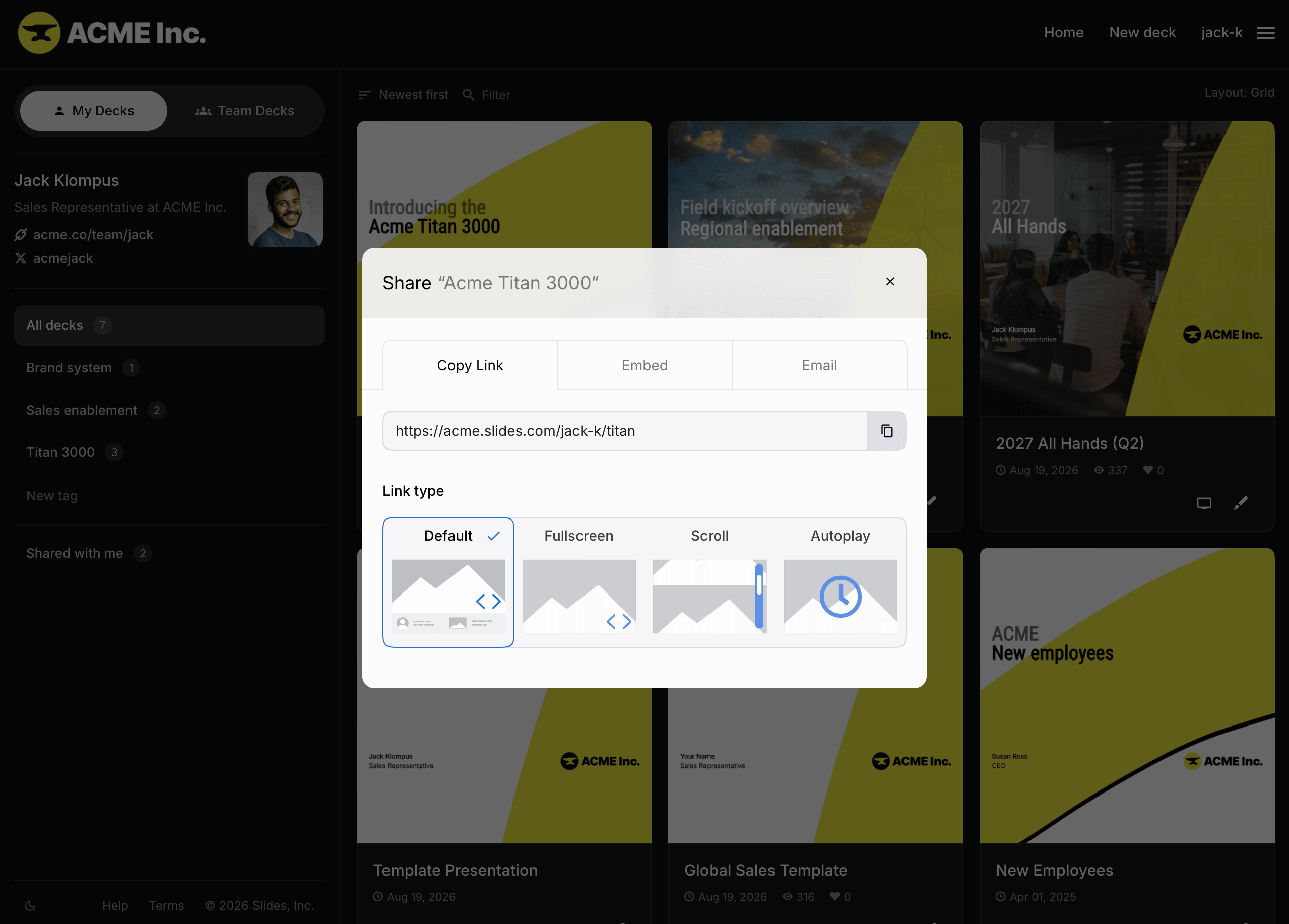
To share a deck, send its public URL in the format slides.com/<username>/<deck-name>. Find the URL in the Share popup, available from the editor, presentation page, and profile page. The popup also includes options for embedding the deck or sharing it by email.

Fullscreen
Turn on the Fullscreen option to link people directly to the fullscreen presentation view. It shows the same slides as the standard presentation page, but without the deck details, social sharing options, or comments.
Scroll Mode
Select Scroll under Link type to share the deck as a vertically scrolling page. Learn more about using Scroll Mode.
Direct link to a slide
To share a link to a specific slide, navigate to that slide, open the Share popup, and turn on Link to current slide at the bottom.