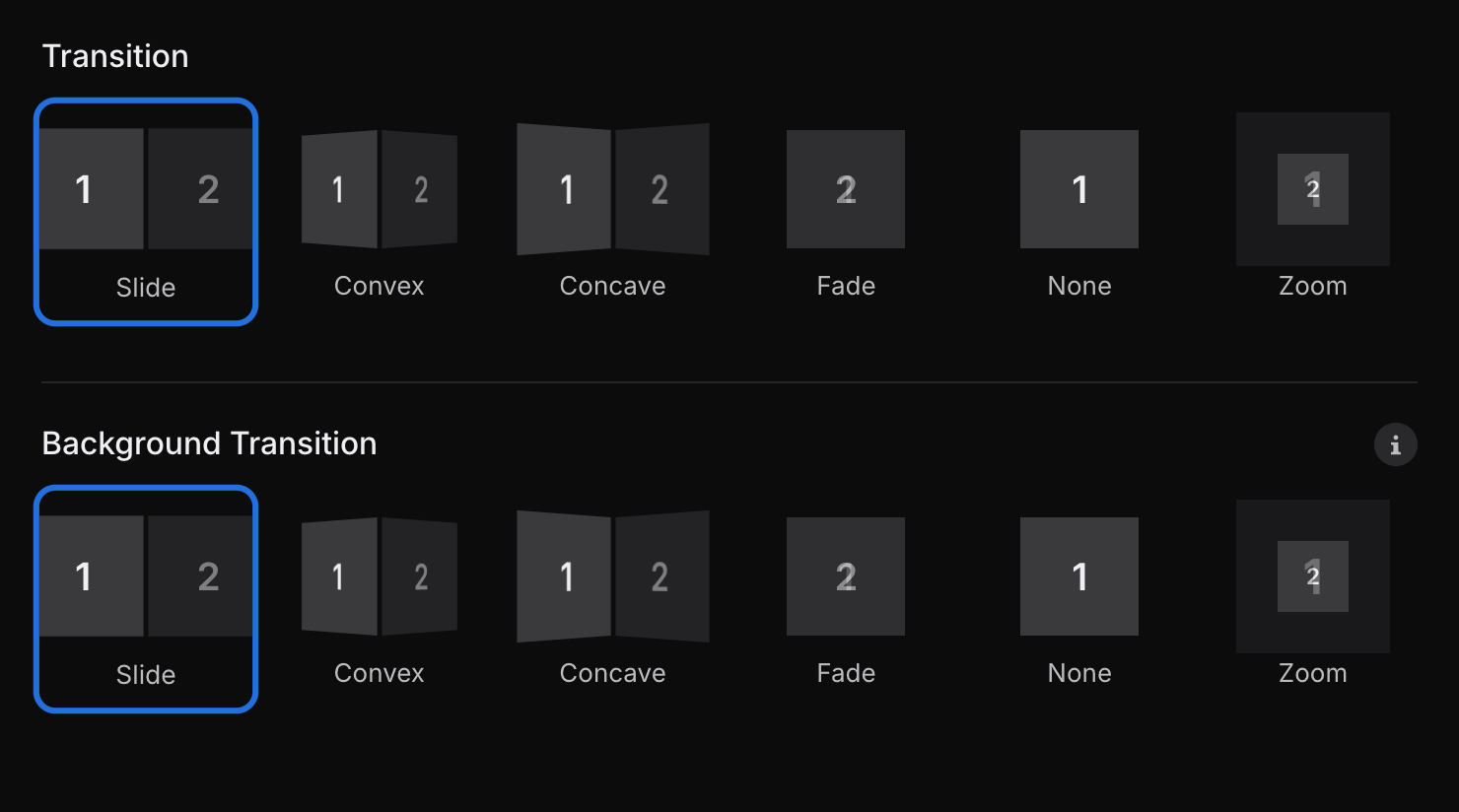
Give your presentation a consistent look by choosing its colors, typography, and transitions in the Style panel. These settings apply across the deck, making it easy to establish a visual direction before you fine-tune individual slides.
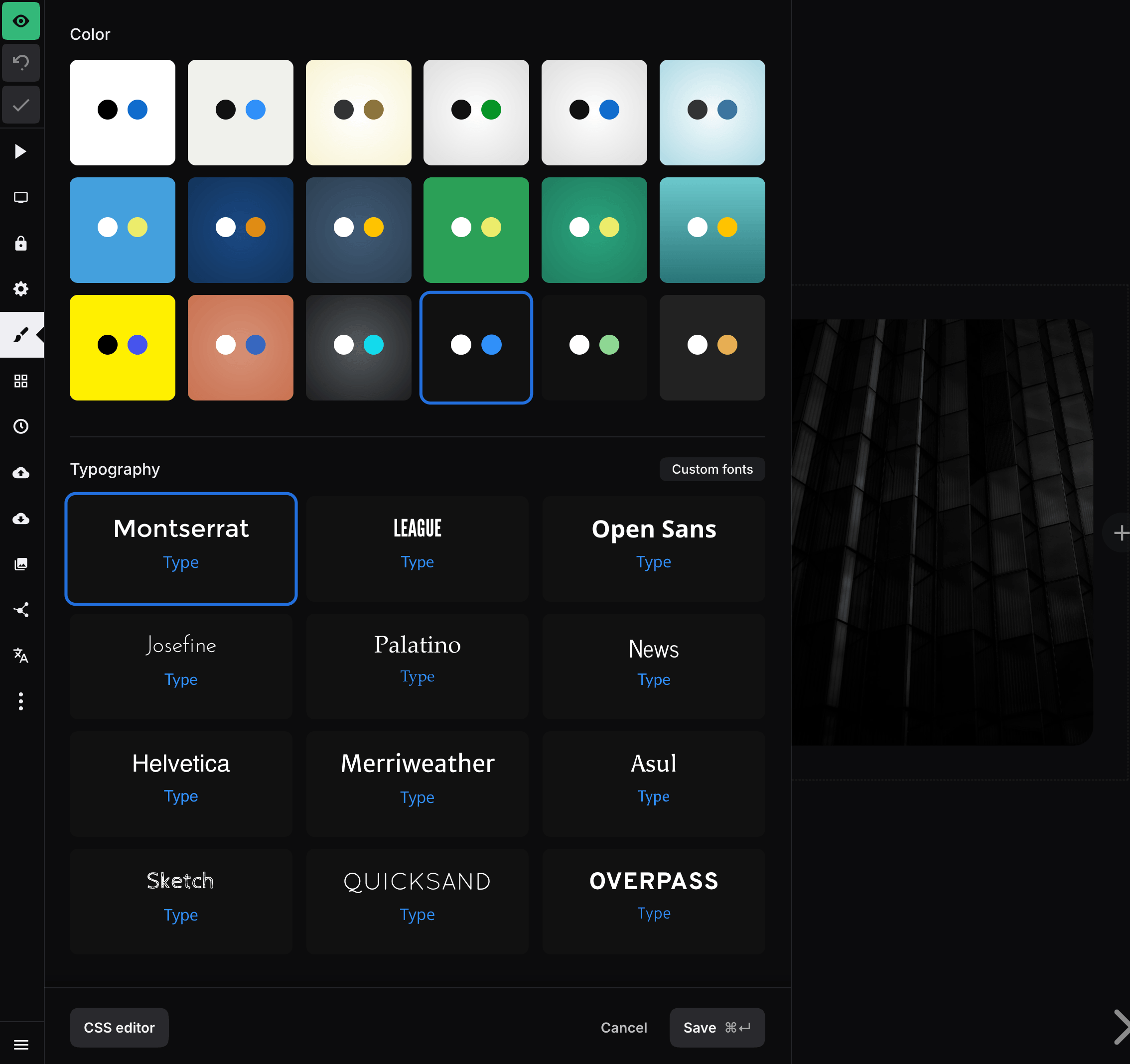
Open a deck in the editor and select Style (the brush icon) in the left sidebar. Your choices are previewed on the presentation as you make them. Select Save to apply the changes.
Color presets
Color presets coordinate the presentation background, text, and accent colors. Individual slide backgrounds, block colors, and custom CSS can override the preset where you need more control.
The Style panel includes all of the presets below. The ID is useful when choosing a preset through the Slides API.
| Preset | ID | Appearance |
|---|---|---|
| White & blue | white-blue |
White background, black text, and blue accents |
| Sand & blue | sand-blue |
Warm off-white background, dark text, and blue accents |
| Beige & brown | beige-brown |
Beige background, dark text, and brown accents |
| Silver & green | silver-green |
Silver gradient, dark text, and green accents |
| Silver & blue | silver-blue |
Silver gradient, dark text, and blue accents |
| Sky & blue | sky-blue |
Pale blue gradient, dark text, and blue accents |
| Blue & yellow | blue-yellow |
Blue background, white text, and yellow accents |
| Cobalt & orange | cobalt-orange |
Dark cobalt gradient, white text, and orange accents |
| Asphalt & orange | asphalt-orange |
Dark blue-gray gradient, white text, and amber accents |
| Forest & yellow | forest-yellow |
Green background, white text, and yellow accents |
| Mint & beige | mint-beige |
Deep mint gradient, white text, and pale yellow accents |
| Sea & yellow | sea-yellow |
Teal gradient, white text, and yellow accents |
| Yellow & black | yellow-black |
Yellow background, black text, and blue accents |
| Coral & blue | coral-blue |
Coral gradient, white text, and blue accents |
| Gray & blue | grey-blue |
Dark gray gradient, white text, and cyan accents |
| Black & blue | black-blue |
Near-black background, white text, and blue accents |
| Black & mint | black-mint |
Near-black background, white text, and mint accents |
| Black & orange | black-orange |
Near-black background, white text, and orange accents |
Font presets
Each font preset pairs a heading font with a body font. The ID is useful when choosing a preset through the Slides API.
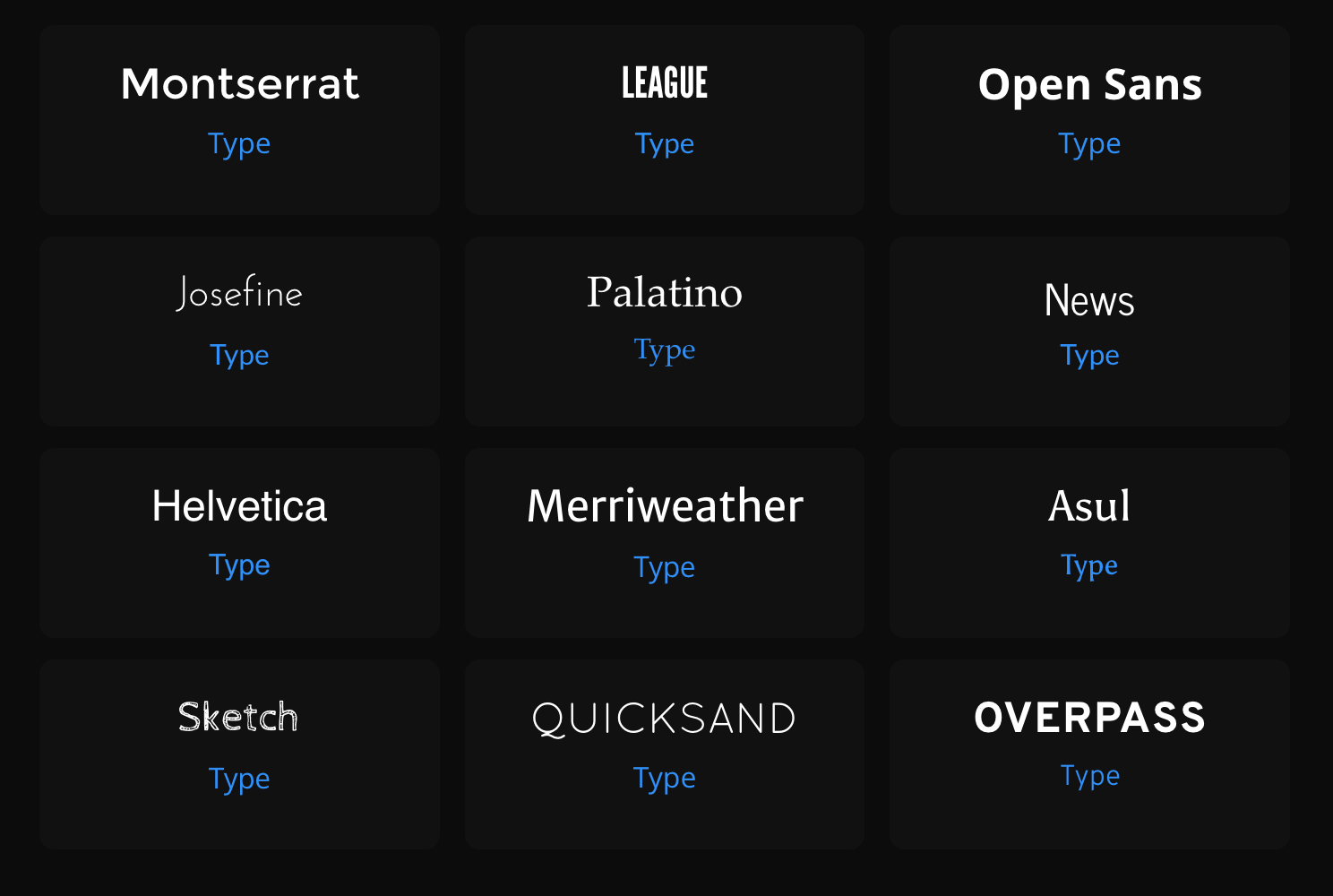
| Preset | ID | Heading font | Body font |
|---|---|---|---|
| Montserrat | montserrat |
Montserrat | Open Sans |
| League | league |
League Gothic | Lato |
| Open Sans | opensans |
Open Sans Bold | Open Sans |
| Josefine | josefine |
Josefin Sans | Lato |
| Palatino | palatino |
Palatino | Palatino |
| News | news |
News Cycle | Lato |
| Helvetica | helvetica |
Helvetica | Helvetica |
| Merriweather | merriweather |
Merriweather Sans | Oxygen |
| Asul | asul |
Asul | Asul |
| Sketch | sketch |
Cabin Sketch | Oxygen |
| Quicksand | quicksand |
Quicksand | Open Sans |
| Overpass | overpass2 |
Overpass | Overpass |
For more control over typography, you can also use custom fonts.
Transitions
The Transition setting controls how one slide moves to the next.
Background Transition separately controls how slide backgrounds change. This is most noticeable when navigating between slides with different background colors or images.