• Presentations
  • Templates
  • Features
  • Teams
  • Docs
  • Pricing
  • Log in
  • Sign up
  • Log in
  • Sign up

Docs

  • Getting started
  • Content & media
    • Media library
    • Images
    • SVG and vector graphics
    • Videos
    • Iframes
    • YouTube and Vimeo
    • Charts
    • Tables
    • Drawing, lines and arrows
    • Lightboxes
    • Adding links
    • Variables
    • Code blocks
    • Math formulas and TeX
    • Google Maps
    • Tableau
  • Design & themes
  • Slides & animation
  • AI
  • Presenting
  • Sharing & collaboration
  • Import & export
  • Presentation settings
  • Account & billing
  • Teams
  • Developer tools

API

  • REST API
  • MCP Server
  • Define API
Docs / Content & media / Google Maps

Adding an interactive Google Map

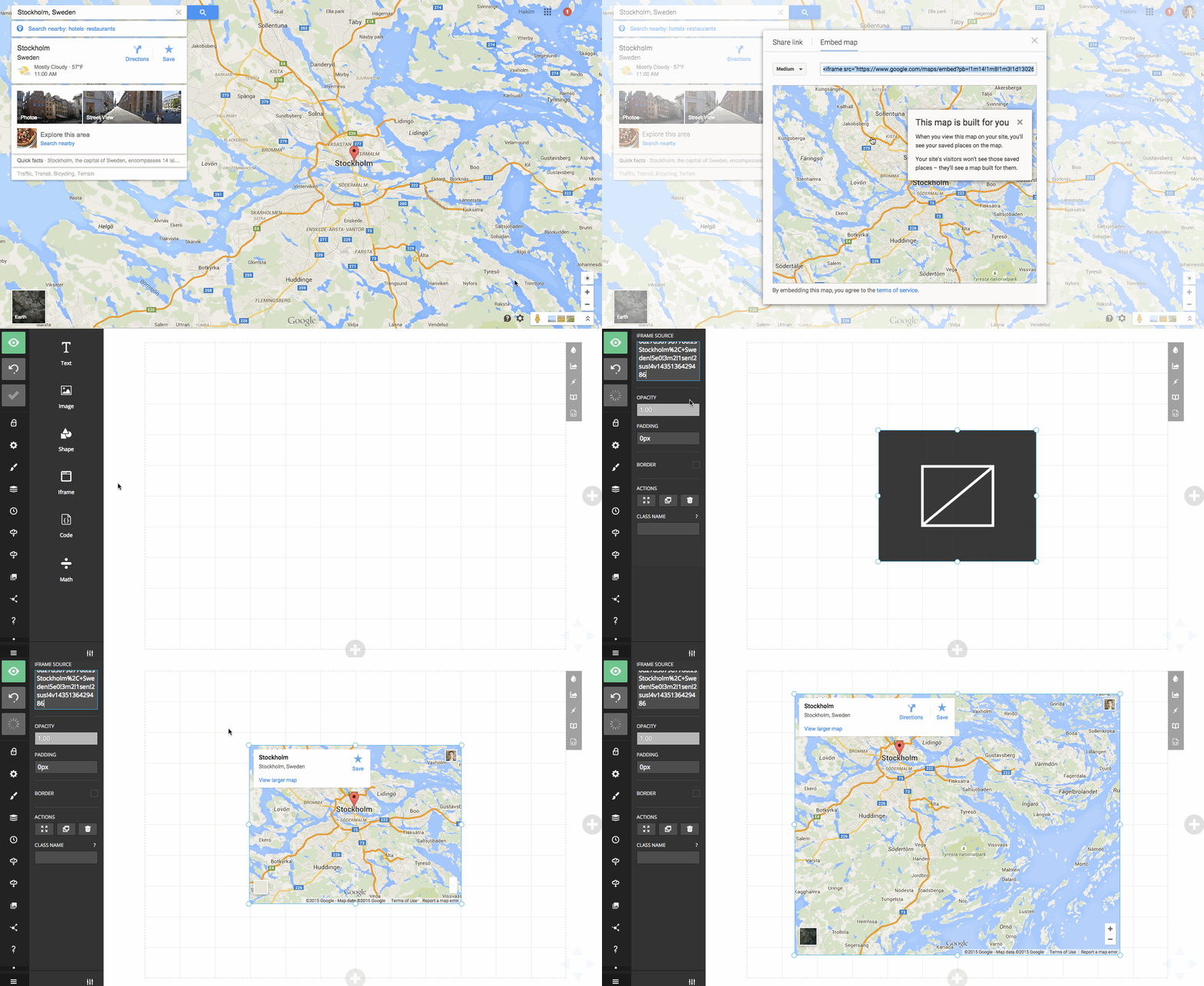
You can embed an interactive map using the editor's Iframe block.

This example shows how to copy a map from Google Maps and add it to a presentation:

Copying a Google Maps embed URL into an Iframe block

Previous Write formulas with TeX and KaTeX Next Embedding a Tableau visualization

Tour

Presentations Trending decks Templates Features Pricing Slides for teams Slides for developers

Help

Documentation Developer docs REST API MCP Server Define API Leave feedback Report an issue Forum

Company

News Changelog About Slides.com Security Partners

Resources

Make slides with AI Embed Google Maps Embed Google Forms Embed YouTube PDF to Slides PPT to Slides Markdown to Slides
Terms Privacy © 2026 Slides, Inc.